
Themes and fonts
The Color Scheme list changes the presentation of code and binary views, including the available dark theme.
Select a scheme under Tools > Options > Personalize. Choose a readable combination of foreground, background and syntax colors for long review sessions.
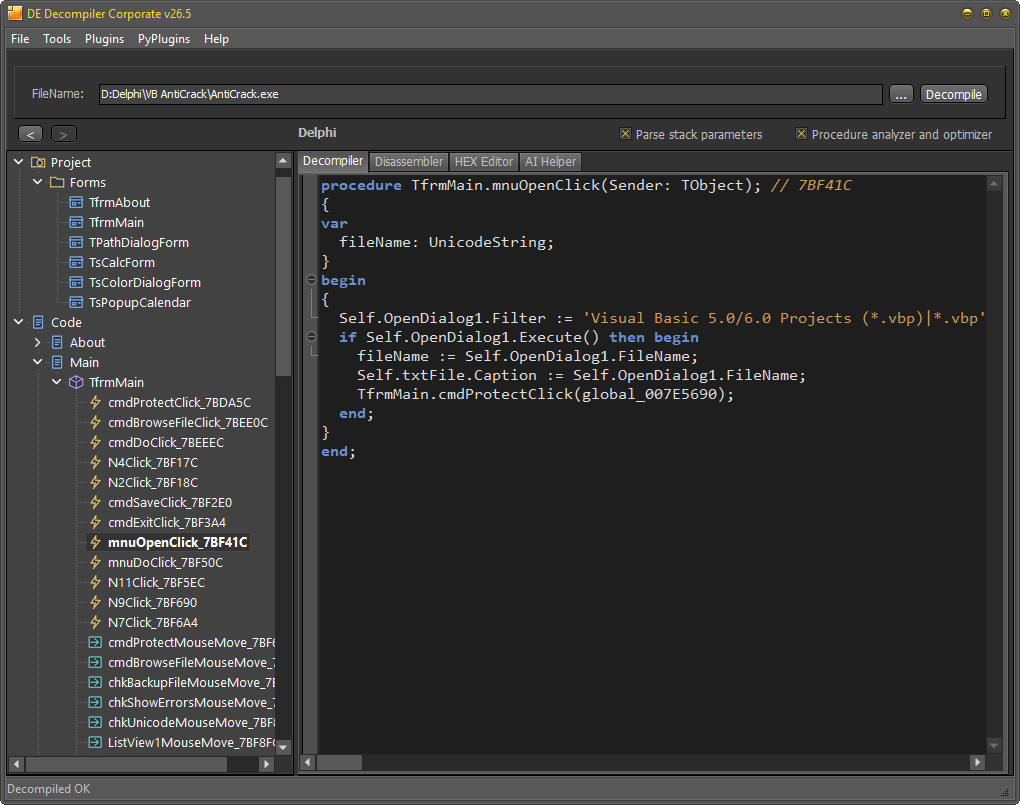
Custom theme files
Presets are .ini files in the colors folder under the installation directory. The filename supplies the preset name. Copy an existing preset to create your own and preserve the keys you do not intend to change. A selected theme can be applied without restarting the application, including after editing its INI file.
The [Colors] section uses decimal color values. Its keys include Background, Foreground, KeyWords, LocationsAndArguments, Procedures, UnderCursorBackground and UnderCursorForeground. UseDarkMode selects a light (0) or dark (1) interface. Colors2=1 enables the extended color section.
An excerpt using extended code-view settings:
[Colors]
UseDarkMode=1
Colors2=1

[Colors2]
TVFontName=Segoe UI, Tahoma, Arial
TVFontSize=10
FontName=Consolas, Courier New, monospace
FontSize=11
Background=1E1E1E
Foreground=DFDFE0
Key=CD9069
String=569CD6
HexFontName=Consolas, Courier New, monospace
HexFontSize=11
HexBackground=1E1E1E
HexForeground=DFDFE0
Font and syntax settings
The basic [Font] section provides Name, Size, KeyWordsBold, LocationsAndArgumentsBold and ProceduresBold. In [Colors2], font names can contain comma-separated fallbacks. Tree fonts use TVFontName and TVFontSize; code views use FontName and FontSize; the HEX Editor uses HexFontName and HexFontSize.
Extended colors use hexadecimal values. Syntax keys include Key, Comment, Char, Float, Hex, Number, String and Symbol. HEX Editor keys include HexBackground, HexForeground, HexGrid, HexActiveFieldBackground, HexOffsetBackground, HexCurrentOffset, HexOddColumn, HexEvenColumn and HexOffset. Under-cursor colors control matching-identifier highlighting in code.