Analysis examples
These walkthroughs use DE Decompiler 26.7 to examine Windows binaries and revisit saved analysis. Each example shows where to look in the interface and how to interpret the recovered output.
Follow SQL logic in decompiled code
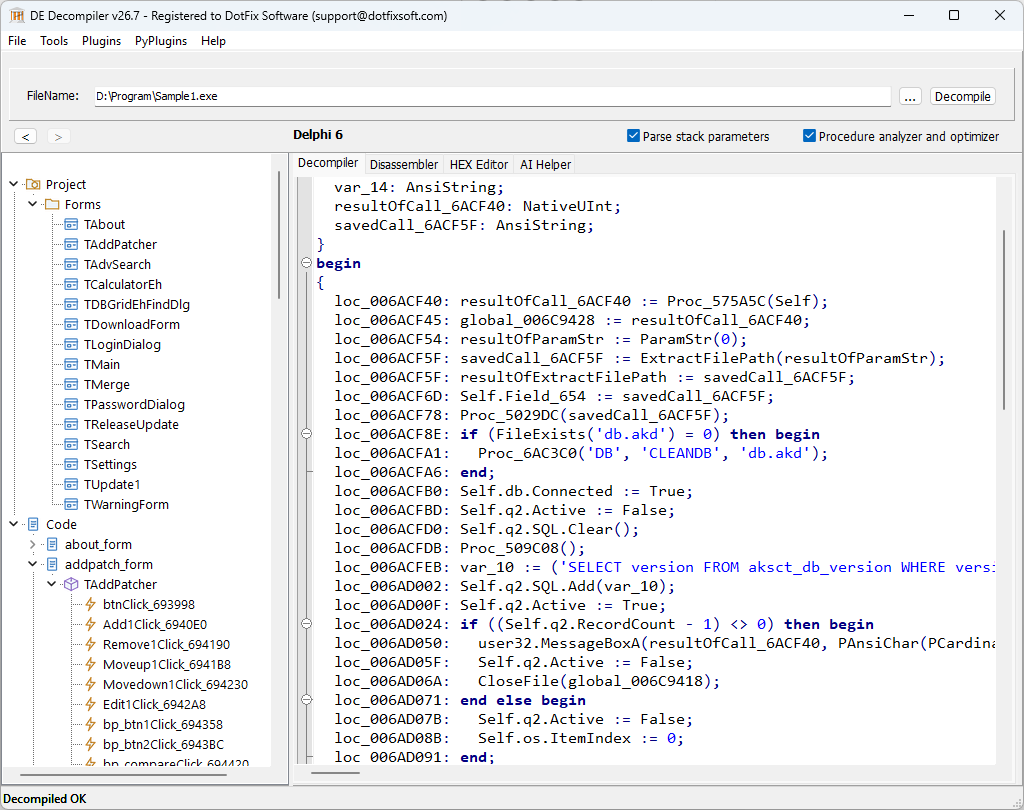
This example uses a recovered procedure from an application built with Delphi 6. The goal is to see when the code opens a database connection, runs a query and branches on the result.
- Find
FileExistsand the stringdb.akd. The file check controls whether the code calls a routine that still has a generated name. - Follow the assignments to
Self.db.ConnectedandSelf.q2.Active. The listing clears the query text, passes a string beginning withSELECT version FROMtoSQL.Add, and sets the query active. - Read the test
((Self.q2.RecordCount - 1) <> 0). A count other than one takes the branch with the message-box call.
The recovered listing shows the query setup and the condition for the message. Use this to narrow the code review to the connection setup, the query text and both branches. The screenshot shows the beginning of the SQL statement.
Extract graphics from a VCL form
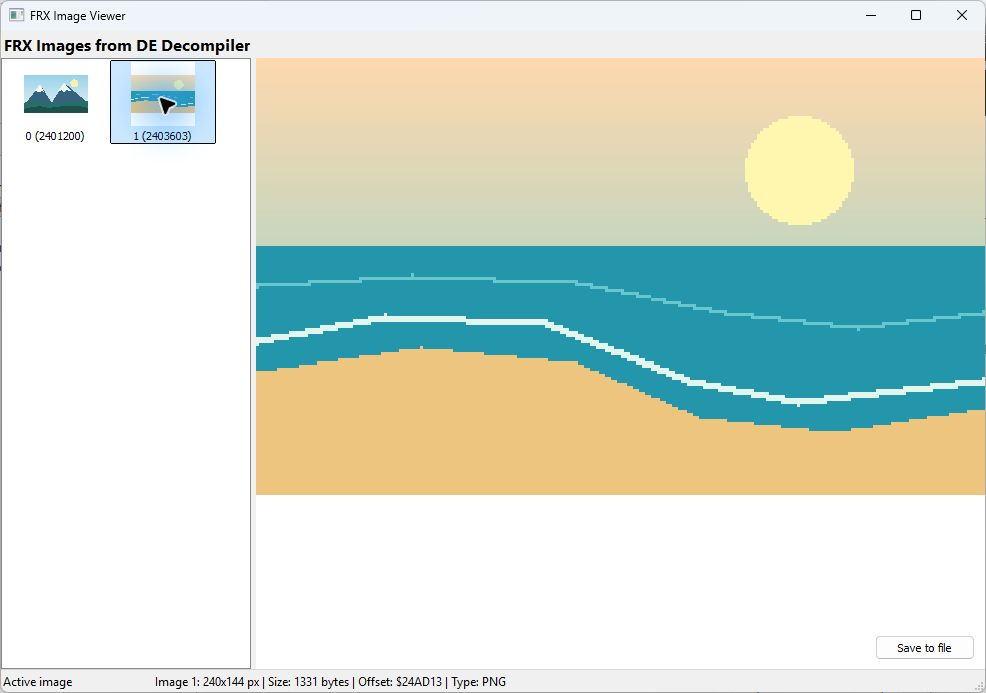
Photo Catalog is a Win32 sample built with Delphi 13. Its form contains two illustrations embedded in a binary DFM resource.
- Open the executable in DE Decompiler. In
Forms, selectTfrmPhotoCatalogto see the recovered layout and identify the two pictures. - Open
Plugins→FRX Image Viewer. Select a thumbnail to inspect the image. The status bar shows its format and dimensions. - Choose
Save to fileto export a selected PNG. Repeat for the other thumbnail.
Both PNGs are 240 × 144 pixels. The files below match the original byte ranges in the executable.
Extracted PNG files


From a VCL button to its handler
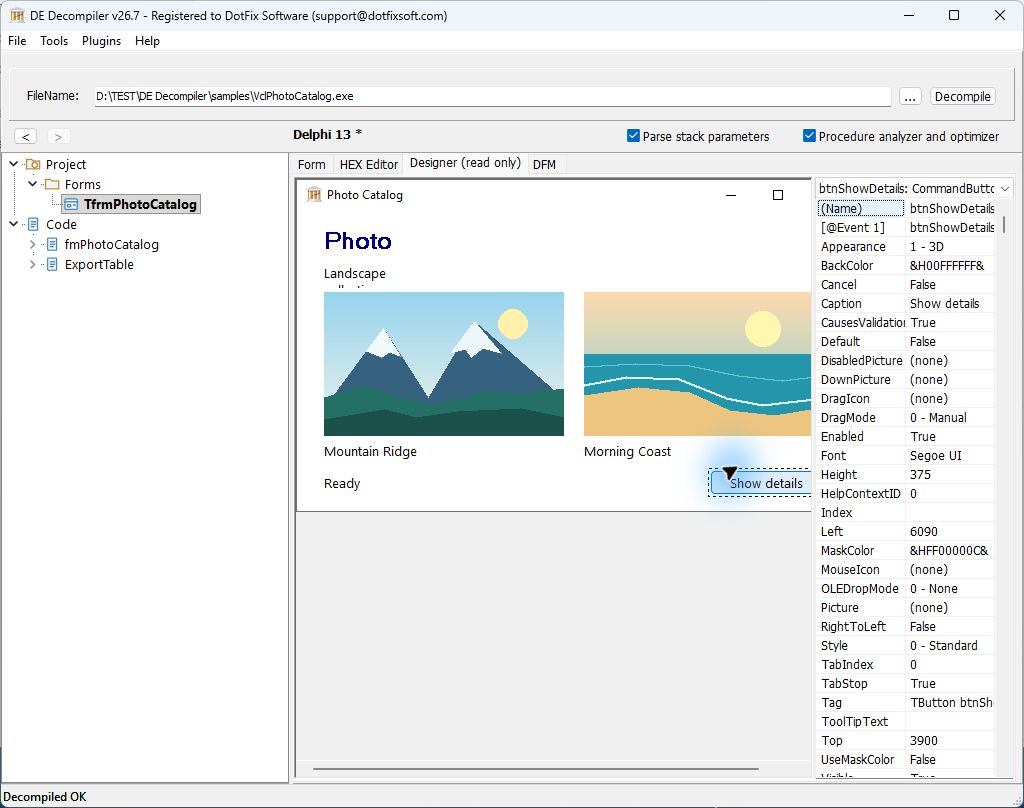
Photo Catalog, Win32, Delphi 13
- Open
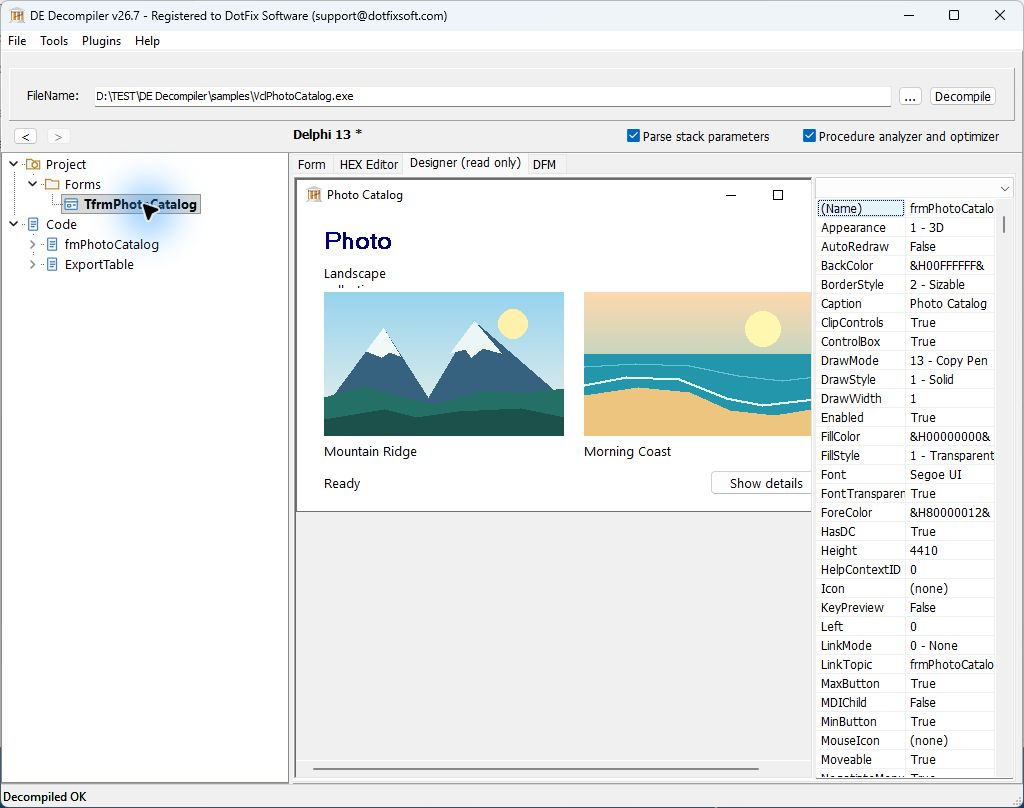
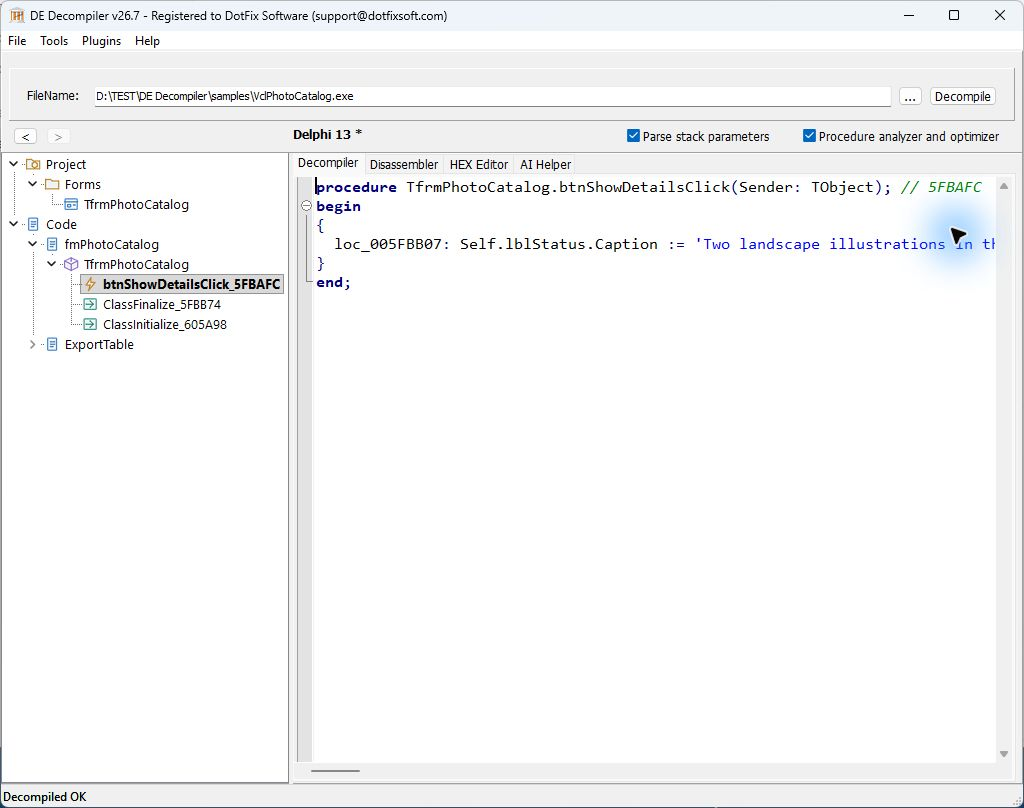
TfrmPhotoCataloginDesigner (read only)and selectShow details. The property pane lists the button’s event binding. - Double-click the event row. DE Decompiler opens
TfrmPhotoCatalog.btnShowDetailsClickand selects it in the project tree. - The recovered listing assigns a new message to
Self.lblStatus.Caption. This is how the button updates the status label.
Check a Win64 loop against native instructions
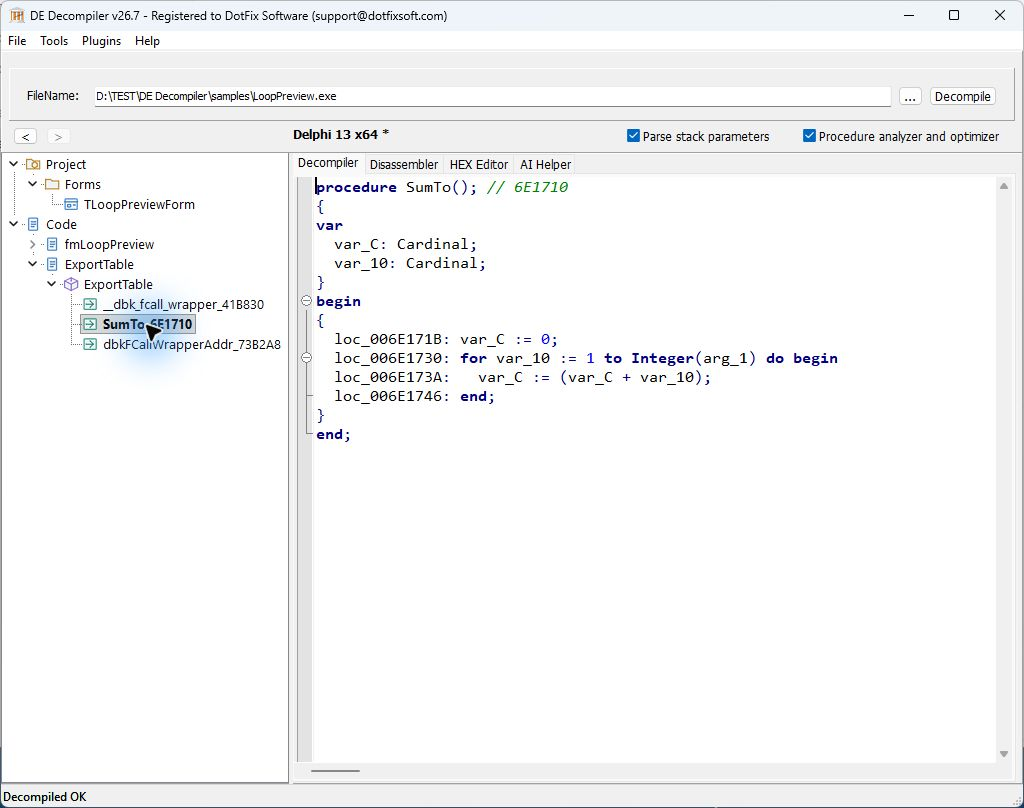
Loop Preview, Win64, Delphi 13
- Open
LoopPreview.exeand findSumTounderCode→ExportTable→ExportTable. The decompiler shows aforloop with a generated argument name,arg_1. The routine adds the integers from 1 through N. - Switch to
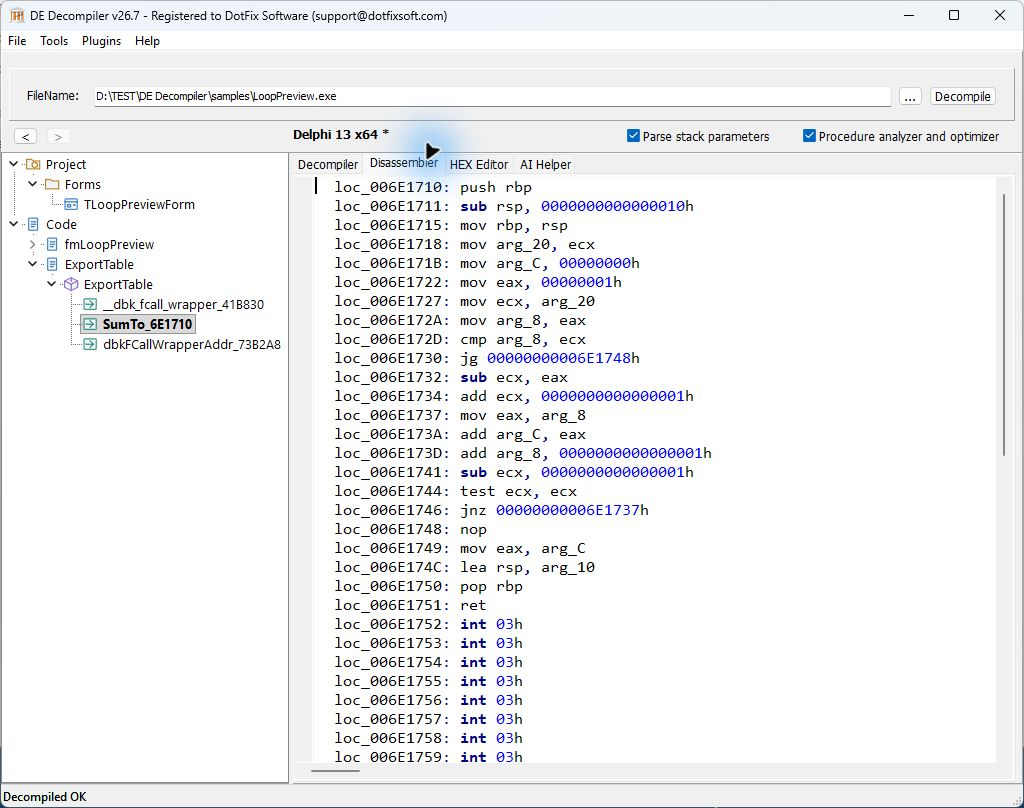
Disassembler. The forwardJGskips the loop body if the starting value is above the upper bound. The backwardJNZreturns to the body for the next iteration, and the finalMOVplaces the sum inEAX. - The sample returns 0 for
N = 0and 10 forN = 4. These inputs exercise the empty loop and a loop that updates its accumulator.
Reopen saved analysis from a VDD database
Photo Catalog, DE Decompiler 26.7
- Open the handler and choose
File→Data Base→Save Decompiled Data As DataBase. Confirm the option to process all code before saving. - Start a fresh DE Decompiler session and select
Open Decompiled DataBase. The saved project tree and VDD information appear. - With the original EXE unavailable, reopen the form and follow its event link. The saved form, its two pictures and the previously decoded handler remain available. Procedures that were not cached still need the matching binary.